Create A Graph
Graphs are to numbers as the spoken word is to text.
When you create a graph you summarize a lot of business data. It is like taking that data and creating a little block of understanding from it. Your understanding of that part of your business grows by leaps and bounds, because now you can visualize its meaning. When you can visualize the meaning, you have gained knowledge. It is no longer just a mass of numbers.
Basic Concepts
The first thing to understand is that data must have at least 2 attributes in order to create a graph with it. An example of this is quantity and time. This might be $250,000 in sales for 2005. Any unit of quantity or time could be used. Another example might be quantity versus quantity. This would occur in a supply/demand graph.
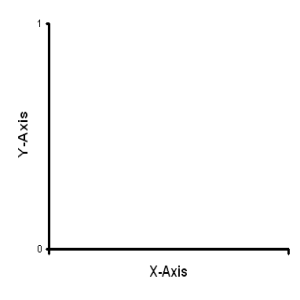
Another important concept is the x-axis versus the y-axis for line and bar graphs. The x-axis lies along the bottom of the graph from left to right. The y-axis is on the left or right of the graph and goes from bottom to top. Your graph will compare x and y values.
Different Kinds of Graphs
- Line Graphs - Very handy for seeing the seasonality and/or trends in
your data. The downside is you need a lot of data for meaningful graphs.
- Pie Graphs - This form of graph will show you the parts of the
whole. So if you have something that has a lot of components, a pie
graph will help you visualize how much each component contributes to the
whole.
- Bar Graphs - A useful graph when you have smaller amounts of data that you want to visualize. Bar graphs can give you much of the same data conceptualization as line graphs.
Create Your Graph
Make A Line Graph - This link takes you to a page where you can view an example and actually make a line graph that can be printed out.
Make A Pie Graph - This chart is a little different. It is a chart showing the proportion of the parts that make up the whole. Each piece of the pie is a percent of the whole.
Summary
You now have the capability of creating your own graphs. This should aid you in better visualizing your data and your business.
Recent Articles


-
Net Present Value Cash Flows
Nov 10, 23 03:22 AM
 Net Present Value Cash Flows
 -
Fed Interest Rate
Apr 07, 23 04:12 AM
The Fed interest rate is a king pin of the United State economic system. -
Calculate NPV
Apr 06, 23 06:41 PM
In order to calculate NPV, one must take into account the time value of money.
Do You Really Want To Understand Graphs?
The links below are questions and answers about graphs and how they work.
How to Make Graphs
Line Graph Origin Point
Line Graph Labels
Double Line Graph
How to Make Bar Graphs, Line Graphs and Pie Graphs
How Will I Enter Data In Making the Line Graph?
Steps to Making a Line Graph